FAB Mobile App: How to Fix Lag & Login Issues Fast
If your FAB Mobile App is running slow, you are not alone. Sluggish performance, delayed loading, and unexpected lag are among the most commonly reported issues by First Abu Dhabi Bank customers across the UAE. The good news is that most of these problems are fixable, and you rarely need to visit a branch to resolve them.
This guide is based on real user issues, official FAB resources, and hands-on troubleshooting experience with mobile banking apps. The solutions shared here are practical, tested, and aligned with how the FAB Mobile App actually works.
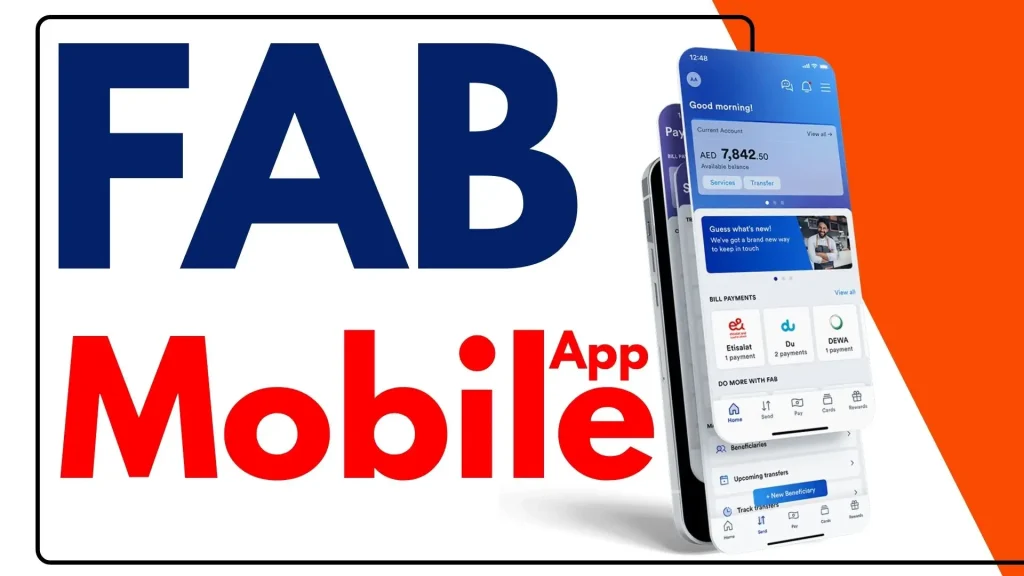
What Is the FAB Mobile App?
First Abu Dhabi Bank built the FAB Mobile App as its official digital banking platform, and for most retail and business customers across the UAE, it has replaced the branch entirely. You can handle account management, payments, card controls, international transfers, and even product applications, all from your smartphone.
The app runs on both Android and iOS, supports biometric login including Face ID and fingerprint, and delivers 24/7 access to personal and business banking services without paperwork or waiting times. It is Arabic and English ready, encrypted with 256-bit data protection, and built on real-time alerts that keep you aware of every transaction the moment it happens.
What makes the FAB Mobile platform genuinely useful is how much it consolidates:
- View account balances and track transaction history
- Download bank statements and e-statements
- Pay utility bills and manage mobile top-ups
- Manage debit, credit, and prepaid cards
- Make local and international money transfers
- Access your FAB Securities Trading Account
- Raise and track service requests
- Apply for banking products instantly
A slow experience on this app therefore affects far more than just one feature.
How to Download the FAB Mobile App
It’s always first things first, right? So we’re going to walk you through the steps to download the official fab app.
- Step 1: Open the Google Play Store or Apple App Store first.


- Step 2: You need to search for FAB Mobile Banking now.
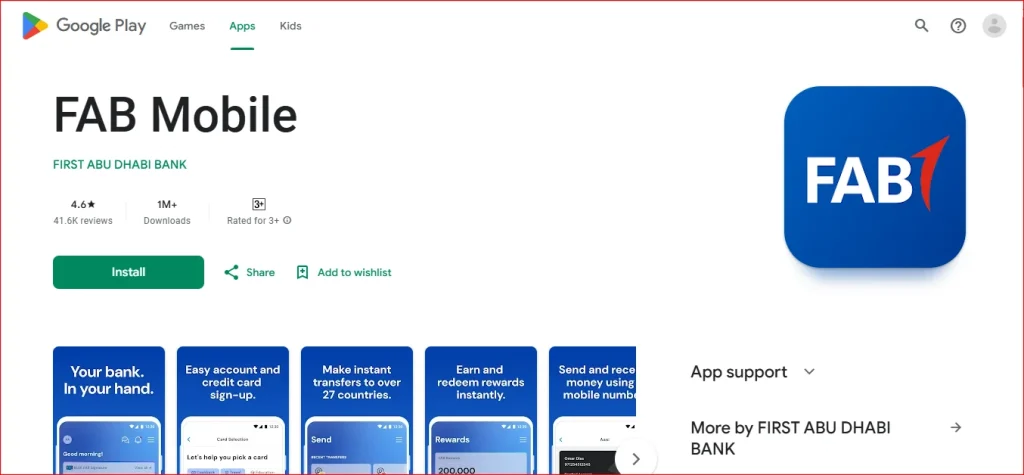
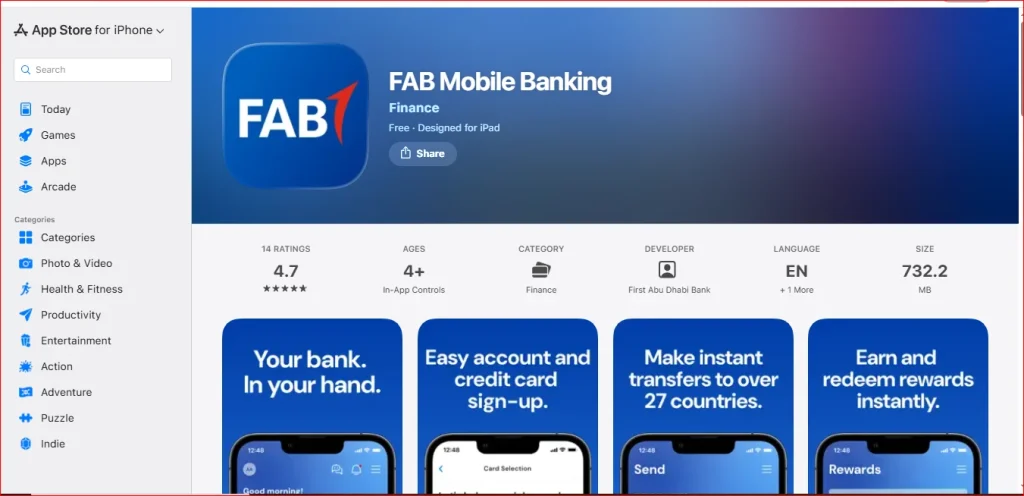
- Step 3: Download and install the official FAB app.
- Step 4: Check your available balance after installing the application!
Expert Tip: Keeping your banking secure requires you to download a genuine app.
Block App Access If Lost Your Phone
If you have lost your phone and need to block app access immediately:
- Log in to FAB Online Banking on desktop
- Navigate to Profile
- Open Registered Devices
- Select your lost device
- Tap Unlink
- Confirm with OTP sent to your registered mobile
This blocks all app access from that device instantly without requiring a branch visit.
What can FAB Mobile do for you?
- View account balance and transaction details
- Share account/transaction details
- Download transaction history
- Download & subscribe/unsubscribe to e-statements
- Change account statement frequency
- Request a cheque book (including foreign currency)
- Request account closure
- Get IBAN number
- Unlock your account
- Generate an IBAN Letter
- Request a Stamped Statement
- Open a FAB Securities Trading Account
- Search for transactions
- Track your account application
- Raise and track service requests
What type of accounts can I open through FAB Mobile?
| Account Type | Minimum Requirement |
|---|---|
| FAB One Account | Monthly income of 10,000 or more |
| Etihad Guest Account | Monthly income of 10,000 or more |
| Elite Current Account | Monthly income of 50,000 or more |
| Etihad Guest Elite Account | Monthly income of 50,000 or more |
| Elite Savings Account | Monthly income of 50,000 or more |
| Personal Current Account | Average minimum monthly balance of 3,000 or more |
| Personal Savings Account | Average minimum monthly balance of 3,000 or more |
| Islamic Current Account | Average minimum monthly balance of 3,000 or more |
Why Is the FAB Mobile App Running Slow?
Before jumping into fixes, it helps to understand what actually causes the FAB Mobile App to slow down. From experience, the culprit is almost never just one thing.
| Cause | How It Affects the App |
|---|---|
| Outdated app version | Missing performance improvements and bug fixes |
| Low device storage | Disrupts local caching, causes dashboard lag |
| Unstable internet connection | Delays real-time alerts, balance updates, FX rates |
| Accumulated app cache | Slows transaction history, card services, and login |
| Incompatible operating system | Struggles with biometric login and encrypted transfers |
| Server maintenance | Triggers login errors and system maintenance messages |
First Abu Dhabi Bank regularly pushes security updates and performance improvements through the Google Play Store and Apple App Store. Running an older version means you are working with unoptimized code that was not built for your current device or operating system.
For example, many users notice the app slows down during salary days when servers handle high traffic.
How to Fix FAB Mobile App Running Slow
Here is what actually works, based on both technical understanding and hands-on experience troubleshooting the FAB Mobile banking app.
Update the App
Open your Google Play Store or Apple App Store, search for First Abu Dhabi Bank, confirm the developer name and official FAB logo, and tap update. Always verify you are installing the authentic application to protect your personal and financial information from fake apps with suspicious permissions.
Clear App Cache (Android)
- Go to phone Settings
- Find FAB Mobile App under installed applications
- Tap Clear Cache
This removes accumulated temporary data without deleting your login credentials, registered devices, or saved biller details. iPhone users should reinstall the app entirely since iOS does not offer a direct cache-clearing option.
Free Up Device Storage
- Remove unused applications
- Clear photo cache
- Ensure Google Play Services remain enabled on Android
Both Android and iPhone users should check available storage before assuming the app itself is the problem.
Switch Your Internet Connection
Toggle between Wi-Fi and mobile data. Many users find that the FAB Mobile App loads account balances, recent transactions, and card services significantly faster on a stable mobile data connection compared to a congested Wi-Fi network.
Restart Your Device
A full device restart clears RAM, closes background processes, and gives the FAB Mobile banking app a clean environment to run in. This alone resolves slow dashboard loading and delayed biometric login prompts for many users.
Reinstall the FAB Mobile App
If clearing cache and restarting do not help, uninstall and reinstall from the official store. Before doing this, make sure your:
- Registered mobile number is active
- Emirates ID or CIF number is accessible
- FAB debit or credit card details are available
You will need these during the one-time re-registration process.
Check for System Maintenance
If you keep getting a system maintenance error or cannot log into your account despite correct credentials, First Abu Dhabi Bank may be running scheduled maintenance. Contact FAB customer care to confirm before troubleshooting further.
FAB Mobile App Security Features That Can Affect Speed
This is something most guides never mention, but it is worth knowing. The FAB Mobile App’s security infrastructure, while essential, does add processing overhead that can feel like slowness, especially on older devices.
| Security Feature | Purpose |
|---|---|
| 256-bit encryption | Protects all data transfers end-to-end |
| OTP verification | Confirms identity for transactions and changes |
| Two-factor authentication | Adds a second layer of account protection |
| Device binding | Ensures only registered devices access your account |
| Biometric login | Face ID and fingerprint for fast, secure entry |
| Auto logout after inactivity | Prevents unauthorized access on idle sessions |
| Real-time fraud alerts | Flags suspicious card usage instantly |
Every time you log in using Face ID, Touch ID, or PIN, the app runs a verification check against registered devices before granting dashboard access. On low-spec smartphones running below Android 8.0 or iOS 13, this security handshake takes noticeably longer. These features cannot be disabled for speed as they exist to prevent unauthorized use and protect your account from card misuse.
FAB Mobile App Features Affected by Slow Performance
Slowness does not hit every feature equally. Here is where lag tends to show up most and why:
Dashboard Loading
Account balances, recent transactions, quick-action buttons for Transfer, Pay, and Top-Up, and the notifications and alerts section all load simultaneously when you open the app. On a slow connection or outdated app version, this creates a bottleneck.
International Transfers
These depend on live FX rates, exchange rate confirmation, cross-border fee calculations, and beneficiary verification all happening in real time. Any lag in server communication delays the entire flow.
Card Services
Activate, block, unblock, and change PIN functions require OTP verification and live card status checks. A slow app means these confirmations time out or require multiple attempts.
Smart Transactions and Spending Insights
Real-time transaction alerts and spending insights, including the 23 smart categories and intelligent search filters introduced with the Smart Transactions feature, rely on fast server communication. If the app is slow, these updates arrive late or appear incomplete.
Biometric Login
Fingerprint and Face ID authentication can stall on older devices running outdated operating systems, causing users to fall back on username and password entry instead.
Supported Devices and System Requirements
Before assuming the app is broken, confirm your device meets the minimum requirements.
| Requirement | Android | iPhone (iOS) |
|---|---|---|
| Minimum OS version | Android 8.0 or higher | iOS 13 or later |
| App store | Google Play Store | Apple App Store |
| Biometric support | Fingerprint (optional) | Face ID / Touch ID (optional) |
| Internet connection | Stable Wi-Fi or mobile data | Stable Wi-Fi or mobile data |
| Google Play Services | Required | Not applicable |
| Apple ID | Not applicable | Required for App Store access |
Devices running older versions may open the app but will struggle with biometric login, encrypted data transfers, and real-time notification delivery.
Benefits of Using the FAB Mobile App
Complete Banking in Your Pocket
Managing finances no longer means queuing at a branch or waiting for business hours. The FAB Mobile App gives you real-time access to account balances, transaction history, and card services from your smartphone, anytime and anywhere across the UAE and internationally.
Fast and Secure Transactions
Every transfer, bill payment, and card action is protected by 256-bit encryption, OTP verification, two-factor authentication, and device binding. Whether you are sending money locally or making cross-border international transfers, your financial information stays protected at every step.
Full Card Control at Your Fingertips
Block, unblock, activate, or change the PIN on your debit, credit, and prepaid cards instantly without visiting a branch. Set card controls for in-store, online, and international purchases or ATM withdrawals to protect against unauthorized use and card misuse.
Smart Spending Insights
With 23 smart transaction categories, intelligent search filters, merchant logos, Cashflow Insights, and real-time Spending Insights, the FAB Mobile App helps you understand exactly where your money goes and make smarter financial decisions every day.
Effortless Bill Payments and Top-Ups
Pay utility bills, mobile recharges, and government services in just a few taps. Save biller details for one-tap future payments and set up recurring payments for monthly bills, eliminating the risk of late fees entirely.
Travel-Ready Banking
Set travel alerts before departure to keep your card active for your entire trip abroad. Manage international purchase controls, monitor real-time transaction alerts while travelling, and access your account 24/7 from anywhere in the world with a stable internet connection.
Instant Product Applications
Apply for credit cards, loans, deposits, and new accounts directly through the app. New customers can sign up instantly with just a few taps, meeting income and balance requirements without paperwork or branch visits.
When to Contact FAB Support
If you have updated the app, cleared cache, restarted your device, checked your internet connection, and confirmed your operating system meets requirements, but the FAB Mobile App is still running slow, it is time to contact FAB customer care directly.
| Support Channel | Details |
|---|---|
| UAE Helpline | 600 52 2235 |
| International | +971 2 681 1511 |
| [email protected] | |
| In-App Chat | Tap Support in the app menu |
| Branch Visit | For deregistration or full account unlock |
Common Issues & Solutions for FAB Mobile App
| Issue | Quick Fix |
| Login Error / Loading Loop | Clear the app cache (Android) or restart your device to refresh the session. |
| OTP Not Arriving | Check your “Blocked” or “Spam” SMS folder and ensure in-app notifications are enabled. |
| Biometric (Face/Touch ID) Fail | Disable Biometrics in the app settings, then re-enable to recalibrate the sensor. |
| “Service Unavailable” Error | This is usually server-side maintenance; wait 15–30 minutes before trying again. |
| App Crash After Update | Uninstall the app completely and download the latest version from the official store. |
| Transfer Pending / Failed | Verify beneficiary details and ensure your daily transfer limit hasn’t been exceeded. |
| Device Registration Limit | Log out from old devices or call the FAB helpline (600 52 5500) for a device reset. |
| Balance Not Updating | Pull down on the dashboard to force-refresh or log out and log back in. |
| Document Upload Failure | Ensure the file is in PDF or JPEG format and the file size is under 2MB. |
| Screen Freeze (Black Screen) | Close all background apps and ensure your phone’s RAM is not at full capacity. |
Source
- FAB Mobile App – First Abu Dhabi Bank Official Website: https://www.bankfab.com/en-ae/personal/digital-banking/fab-mobile
- Download FAB Mobile on Google Play Store: https://play.google.com/store/apps/details?id=com.fab.mobile
- Download FAB Mobile on Apple App Store: https://apps.apple.com/ae/app/fab-mobile/id1498451764
FAQs About FAB Mobile App
What is FAB Mobile?
FAB Mobile is the official digital banking app of First Abu Dhabi Bank, designed for retail and business customers in the UAE. It allows users to check balances, transfer money, pay bills, and manage credit, debit, and prepaid cards, with 24/7 access on both Android and iOS.
How can I get the FAB Mobile app?
Download it from the Google Play Store for Android or the Apple App Store for iPhone. Search for First Abu Dhabi Bank, confirm the official FAB logo and developer name, then tap Install on Android or Get on iOS.
What do I need to start using FAB Mobile?
You will need:
Emirates ID or National ID
Registered mobile number linked to your FAB account
FAB debit card, credit card, or CIF number
During registration, you verify your identity via OTP and create a username, password, and 4-digit PIN.
What operating system do I need to access all the features of FAB Mobile?
The app requires Android 8.0 or higher for Android users and iOS 13 or later for iPhone users. Older operating systems may open the app but will face performance issues with biometric login, encrypted transfers, and real-time alerts.
How secure is FAB Mobile?
FAB Mobile uses 256-bit encryption, OTP verification, two-factor authentication, device binding, biometric login, real-time fraud alerts, end-to-end encrypted transactions, and automatic session logout after inactivity. Only registered devices can access your account.
Can I use FAB Mobile on other devices?
Yes, but each device must be registered separately. FAB Mobile uses device binding, so only your registered smartphones or tablets can access your account. To remove a device, go to Registered Devices in FAB Online Banking and unlink it via OTP confirmation.
I use FAB Online Banking, so will I get automatically registered to FAB Mobile?
No. FAB Online Banking and FAB Mobile are separate platforms. Existing users can log in with their online banking credentials, but a separate one-time registration through the FAB Mobile App is still required for new device setup.
Do I have to pay to use FAB Mobile?
No. The FAB Mobile App is completely free to download and use from both the Google Play Store and Apple App Store.
What if I lose my mobile phone?
Immediately log in to FAB Online Banking on a desktop, go to Profile, open Registered Devices, select your lost device, tap Unlink, and confirm with OTP. This blocks all app access from that device instantly.
How can I unlock FAB Mobile?
Use the Forgot Password option on the login screen to reset via OTP. If the issue persists, contact FAB support at 600 52 2235 or email [email protected].
Can I use FAB Mobile when I am outside the UAE?
Yes. FAB Mobile provides 24/7 access from anywhere with an internet connection. Before travelling, set travel alerts in advance to keep your card active for the entire trip and manage card controls for international purchases and ATM withdrawals.
Can I open an account through FAB Mobile even if I do not have any FAB product?
Yes. New customers can sign up instantly through the FAB Mobile App, provided they meet the minimum income or balance requirements for their chosen account type.
I cannot log into my account or I keep getting a system maintenance error?
Confirm your registered mobile number is active and credentials are correct. Update the app to the latest version, restart your device, and try again. If the system maintenance error persists, contact FAB customer care at 600 52 2235 or email [email protected].
Can I temporarily block my credit card through FAB Mobile?
Yes. Go to Card Services, select Block Card, choose the card type, and confirm. The block takes effect instantly. To unblock, tap Unblock Card, enter your OTP, and the card is reactivated immediately.
In case I have lost my credit card, can I block it through FAB Mobile?
Yes. Open Card Services, select Block Card, and confirm with OTP. Your lost or stolen card is blocked instantly with no branch visit required.
Conclusion
The FAB Mobile App brings your entire banking experience into one secure, always-accessible platform. If the app is running slow, the fixes are straightforward and rarely require a branch visit. Keep it updated, maintain your device, and use the support channels available whenever something feels off. Smooth, confident banking is just a tap away.